TikTok Recipes

TikTok recipe extractor for iPhone: import recipes from TikTok and save them in LinkBook

If you want a TikTok recipe app for iPhone that keeps recipes searchable after you leave the feed, LinkBook is the workflow to evaluate. For supported TikTok recipe posts, it can import recipes from TikTok into a Smart Card with ingredients, steps, confidence, and Cook Mode, then keep the original post one tap away for verification.

Published: March 13, 2026. Updated: March 13, 2026.
Quick answer

LinkBook works as a TikTok recipe saver by saving supported TikTok recipe posts from the iPhone Share Sheet and turning them into a recipe Smart Card. That card can show ingredients, steps, confidence, Copy recipe, Save analysis, Save tags, and Cook Mode without claiming a raw video-download workflow.

How LinkBook's TikTok recipe extractor works

LinkBook combines multiple signals at save time so the saved result is more useful than a bare link.

  • Caption text and hashtags help identify the recipe name and intent.
  • Thumbnail OCR and video-frame OCR help recover visible ingredients or steps when the caption is incomplete.
  • A confidence score and recipe-specific actions help you decide whether the preview is complete enough to cook from immediately.

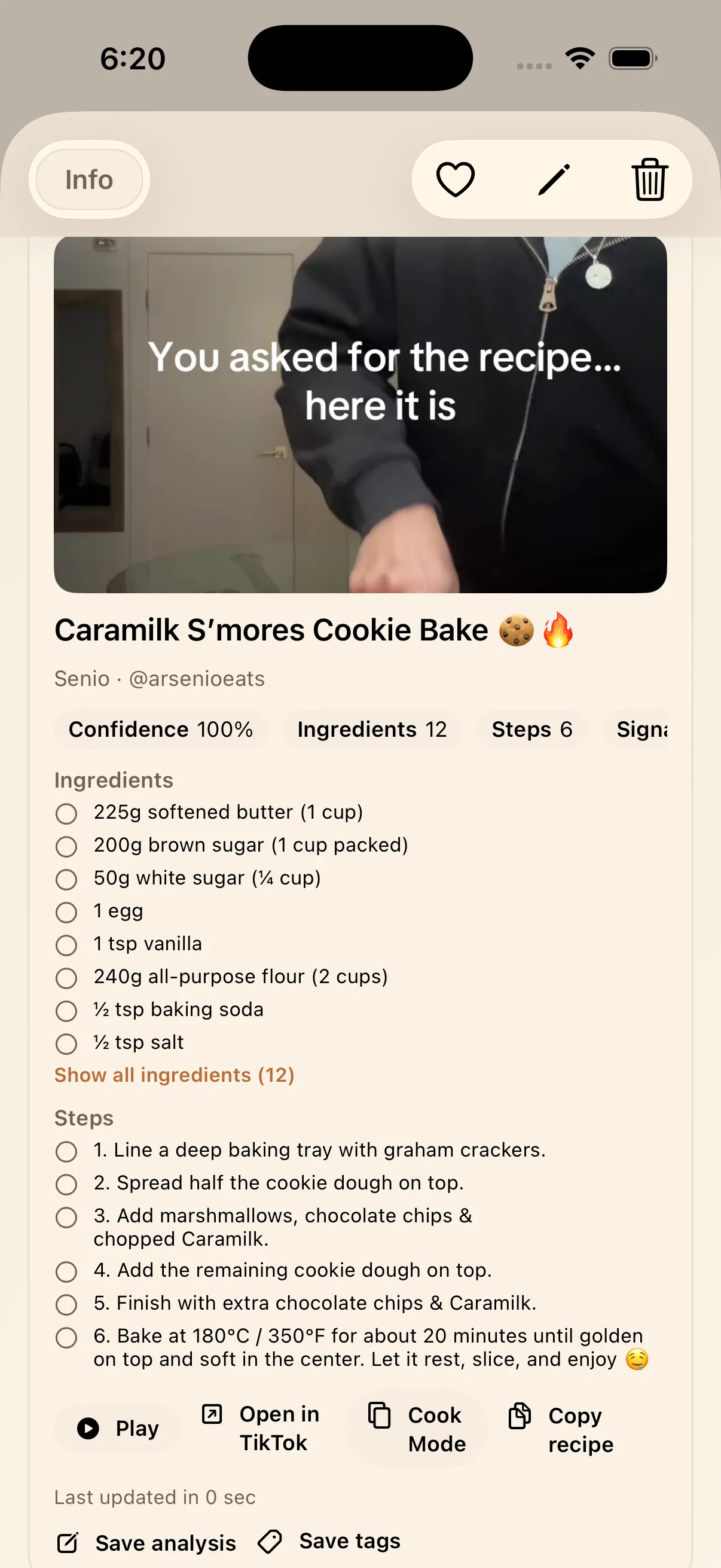
The result is a TikTok recipe Smart Card with a recipe title, ingredients, steps, confidence, Cook Mode, Copy recipe, Save analysis, Save tags, and an Open in TikTok path when you want to verify missing detail.

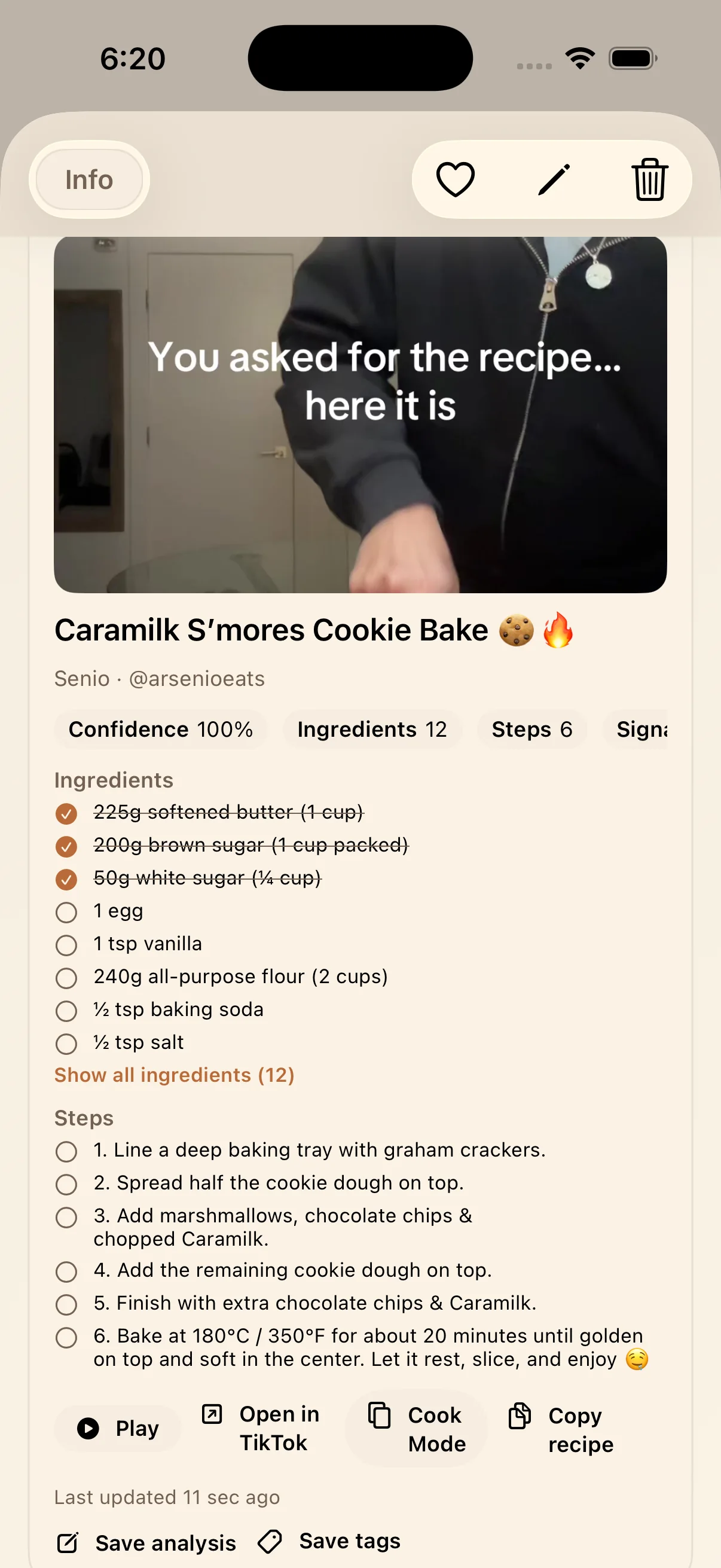
LinkBook TikTok recipe Smart Card showing the extracted title, ingredients, steps, and actions for a cookie dessert
A supported TikTok recipe post can become a structured Smart Card instead of staying a plain saved URL.

How to import recipes from TikTok on iPhone

  1. Open the TikTok recipe post on your iPhone and use the Share action.
  2. Send the post to LinkBook through the iOS Share Sheet.
  3. Save the item, then open it in LinkBook to check whether the TikTok Recipe Smart Card appears.
  4. Review the extracted ingredients, steps, and confidence before cooking.
  5. Use Cook Mode for kitchen use, or tap Open in TikTok if the preview does not reveal the full recipe.

This is the practical way to import recipes from TikTok without relying on copy-paste notes or a separate manual recipe transcription habit.

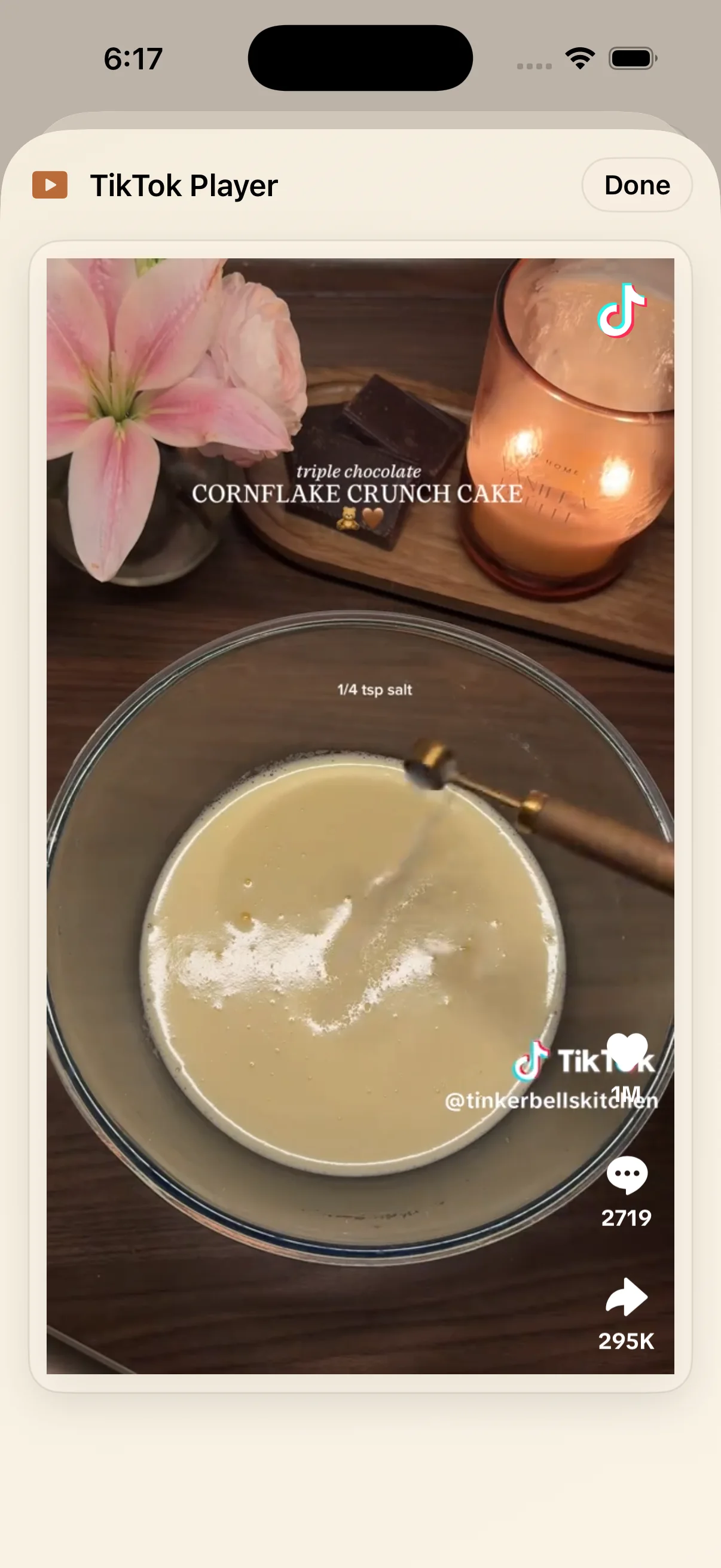
LinkBook TikTok player screen for a saved cornflake crunch chocolate cake recipe on iPhone
LinkBook keeps the original TikTok post close to the extracted recipe so you can verify visible steps and quantities.

Why LinkBook works as a TikTok recipe saver

Searchable after the feed is gone

Saved TikTok recipes live inside the same searchable library as your other links, tags, folders, and favorites.

Cookable instead of just watchable

Ingredients, steps, Copy recipe, and Cook Mode make the saved result more useful in the kitchen than a loose TikTok URL.

Verification stays available

If a recipe preview is incomplete, Open in TikTok remains part of the flow so you can confirm the source instead of guessing.

Screenshot gallery: turn a TikTok video into a recipe workflow

These screenshots reflect the current LinkBook iPhone workflow for supported recipe posts. The flow is about structured extraction and verification, not downloading the original video file.

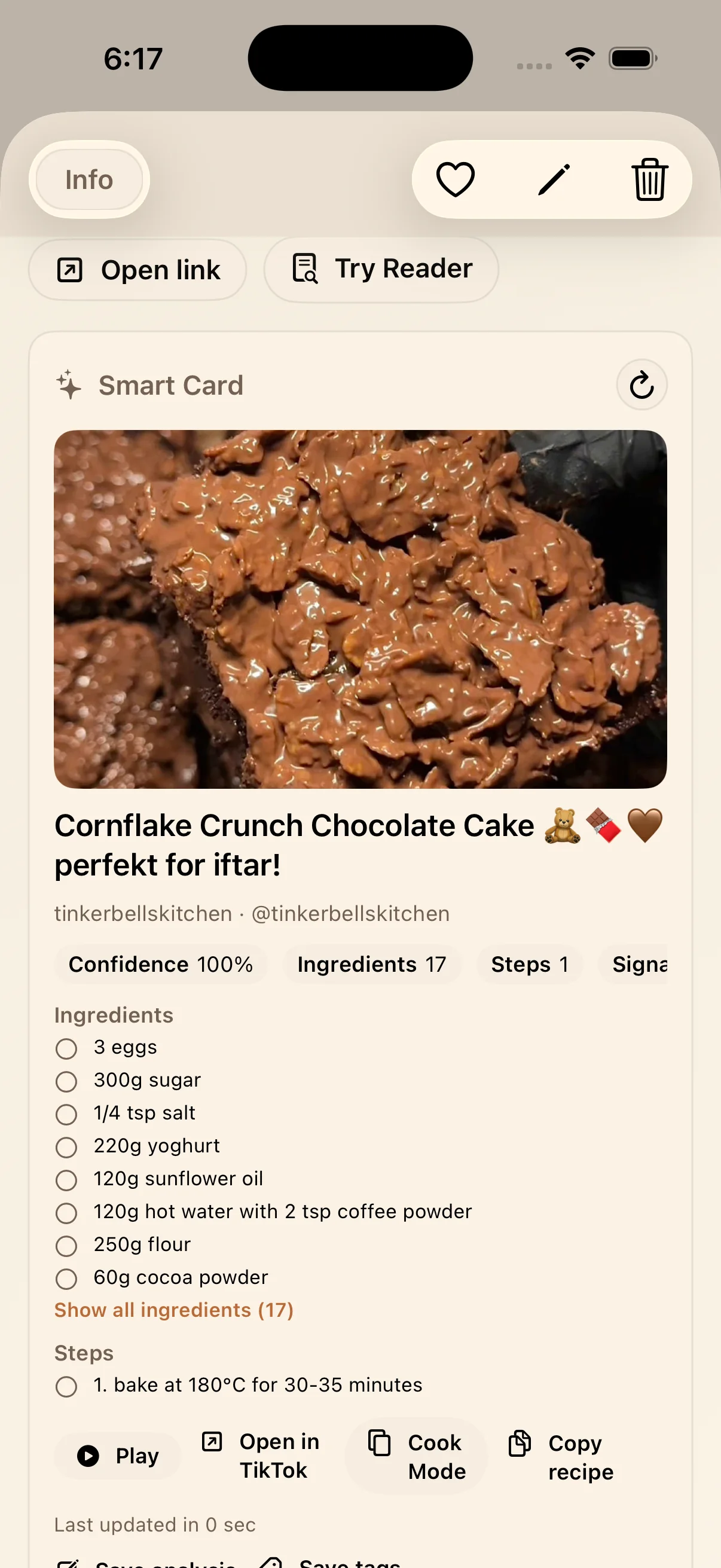
LinkBook TikTok recipe Smart Card for cornflake crunch chocolate cake with extracted ingredients and steps
Smart Card view for a saved TikTok recipe, including title, ingredients, steps, confidence, and recipe actions.
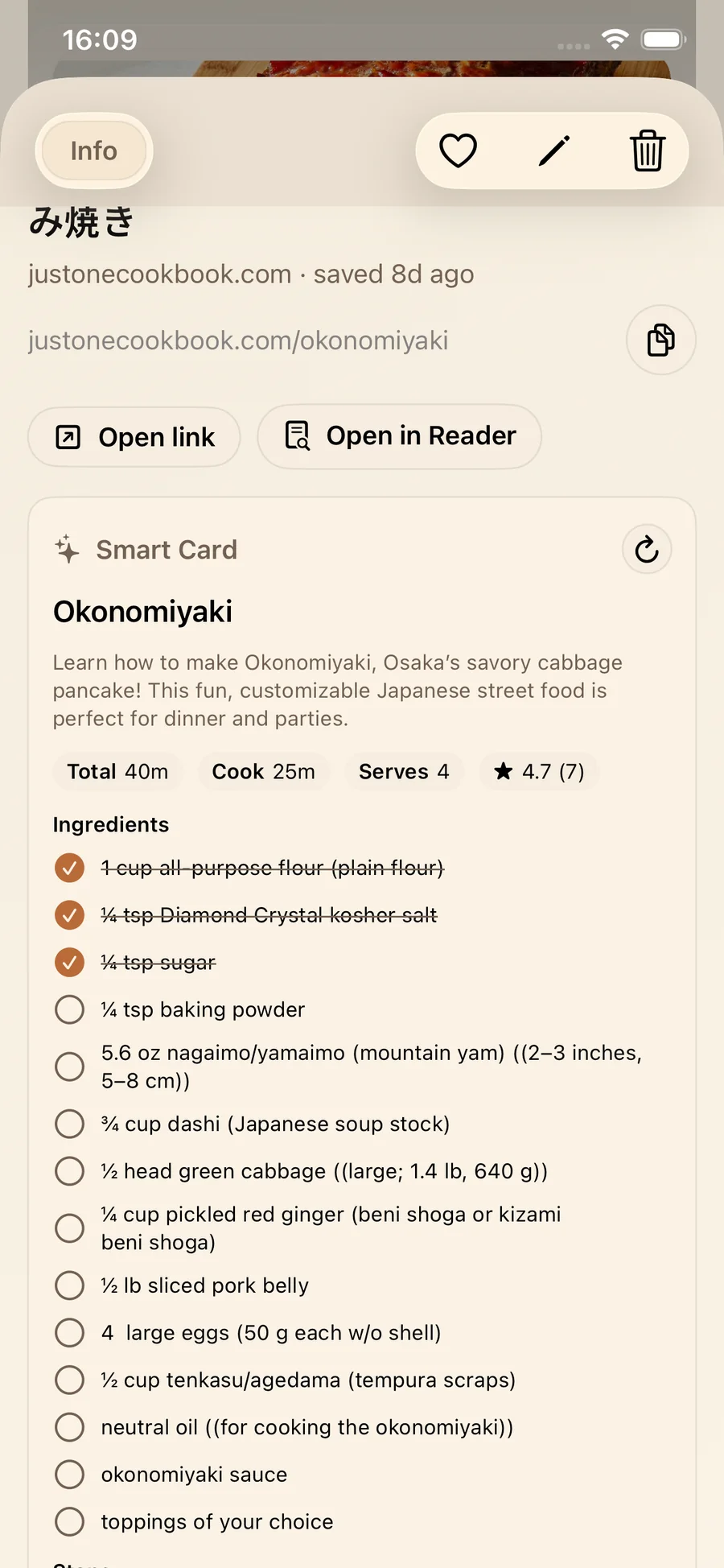
LinkBook ingredient checklist view for a TikTok recipe saved on iPhone
Ingredient checklist view helps turn a saved TikTok recipe into something you can actually cook from.
LinkBook recipe checklist screen showing step-by-step cooking progress on iPhone
After saving the recipe, LinkBook keeps a recipe-friendly view for step tracking and kitchen use.

Can LinkBook turn a TikTok video into a recipe?

For supported TikTok recipe posts, yes: LinkBook can turn the visible recipe information in the shared TikTok post into a recipe Smart Card on iPhone. It does not promise that every post will import perfectly, and the app explicitly warns when full ingredients or steps were not visible in the preview. In those cases, the correct next step is to verify in TikTok before cooking.

FAQ

Can LinkBook import recipes from TikTok?

Yes. For supported TikTok recipe posts shared into LinkBook from iPhone, LinkBook can build a Smart Card with ingredients, steps, confidence, and Cook Mode.

Can LinkBook save TikTok recipes without downloading the video?

Yes. LinkBook saves the shared TikTok post and extracts recipe details from the available preview signals for supported posts. It is not presented as a video-download workflow.

Can LinkBook turn a TikTok video into a recipe?

For supported TikTok recipe posts, LinkBook can turn the visible recipe signals in the shared post into a recipe Smart Card. If the preview is incomplete, Open in TikTok is used to verify before cooking.

What makes LinkBook a TikTok recipe app for iPhone?

It combines Share Sheet capture, TikTok recipe Smart Cards, searchable organization, and Cook Mode in one iPhone workflow.

Does every TikTok recipe import perfectly?

No. Recipes import best when the caption, thumbnail, or visible frames expose the ingredients and steps clearly. When they do not, verify the details in TikTok before cooking.

What this guide is based on (reviewed on March 13, 2026)

  • Current recipe-card UI includes Ingredients, Steps, Open in TikTok, Cook Mode, Copy recipe, Save analysis, and Save tags actions.
  • Current extraction logic combines caption text, hashtags, thumbnail OCR, video-frame OCR, and a fallback model pass when needed.
  • The app warns when full ingredients or steps were not visible in the preview and instructs users to verify in TikTok.

Need a TikTok recipe app for iPhone?

Test the Share Sheet flow with your next saved recipe and see whether the Smart Card plus Cook Mode is enough for your kitchen workflow.

Download LinkBook