
Context disappears
Plain URL lists make it hard to remember why a link mattered.
LinkBook turns scattered bookmarks into a searchable iPhone library. Save from the iOS Share Sheet, organize with tags and folders, and reopen with Smart Cards, Reader Mode, Cook Mode, and focused filters.
For supported TikTok recipe posts, LinkBook can import recipes from TikTok into a Smart Card with ingredients, steps, confidence, and an Open in TikTok check when you need to verify missing quantities before cooking.
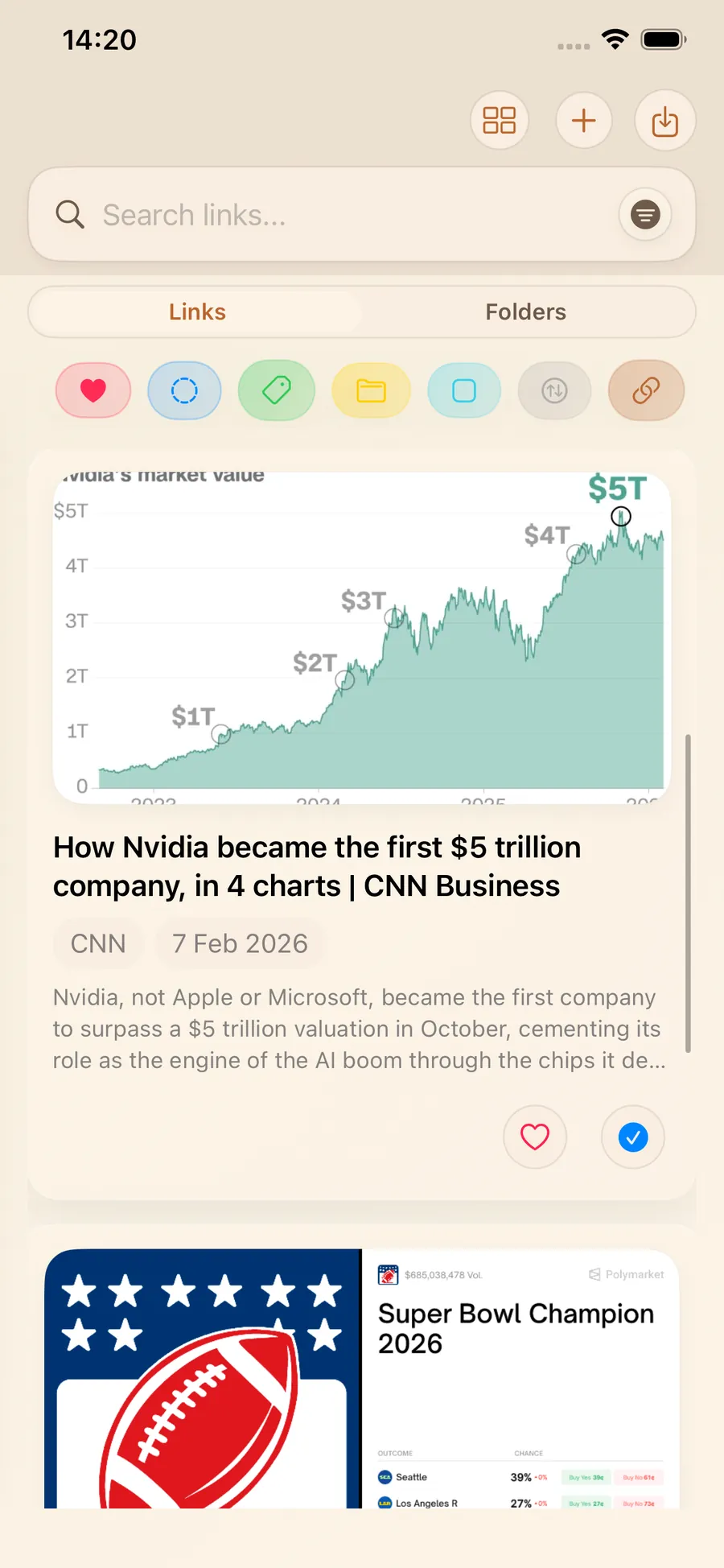
Most people save links across Safari tabs, message threads, and notes apps. Retrieval fails because context is missing and lists are hard to scan.
Plain URL lists make it hard to remember why a link mattered.
Mixed tools force copy/paste behavior instead of one searchable library.
Articles get saved but not read when mobile pages stay cluttered.
These are the main ways LinkBook helps iPhone users save, organize, and revisit what matters.
Save from any iOS app and optionally add title, tags, folder, and notes at save time.
Supported sources, including TikTok recipe posts, can render AI-assisted Smart Cards with ingredients, steps, confidence, and faster recognition.
Search by keyword and filter by tag, folder, source, unread, and favorite state.
Cleaner reading with font-size controls, highlights, notes, and progress-oriented sessions.
Premium can auto-save reader text for eligible articles for later offline reading.
LinkBook content states local-first, encrypted on-device storage, and optional premium sync/backup tools.
Use the comparison hub to see side-by-side differences, official sources, and when each page was last checked.
LinkBook works as a TikTok recipe saver for iPhone users who already send links through the Share Sheet. For supported TikTok recipe posts, it can import recipes from TikTok and turn a TikTok video into a recipe card with ingredients, steps, confidence, and Cook Mode so you can save TikTok recipes without rebuilding them by hand.
TikTok recipe flow
For supported TikTok recipe posts, LinkBook pulls the title, ingredients, steps, confidence, and quick actions into one clean Smart Card. When a recipe needs a quick double-check, the card still keeps an Open in TikTok shortcut so you can verify quantities before cooking.
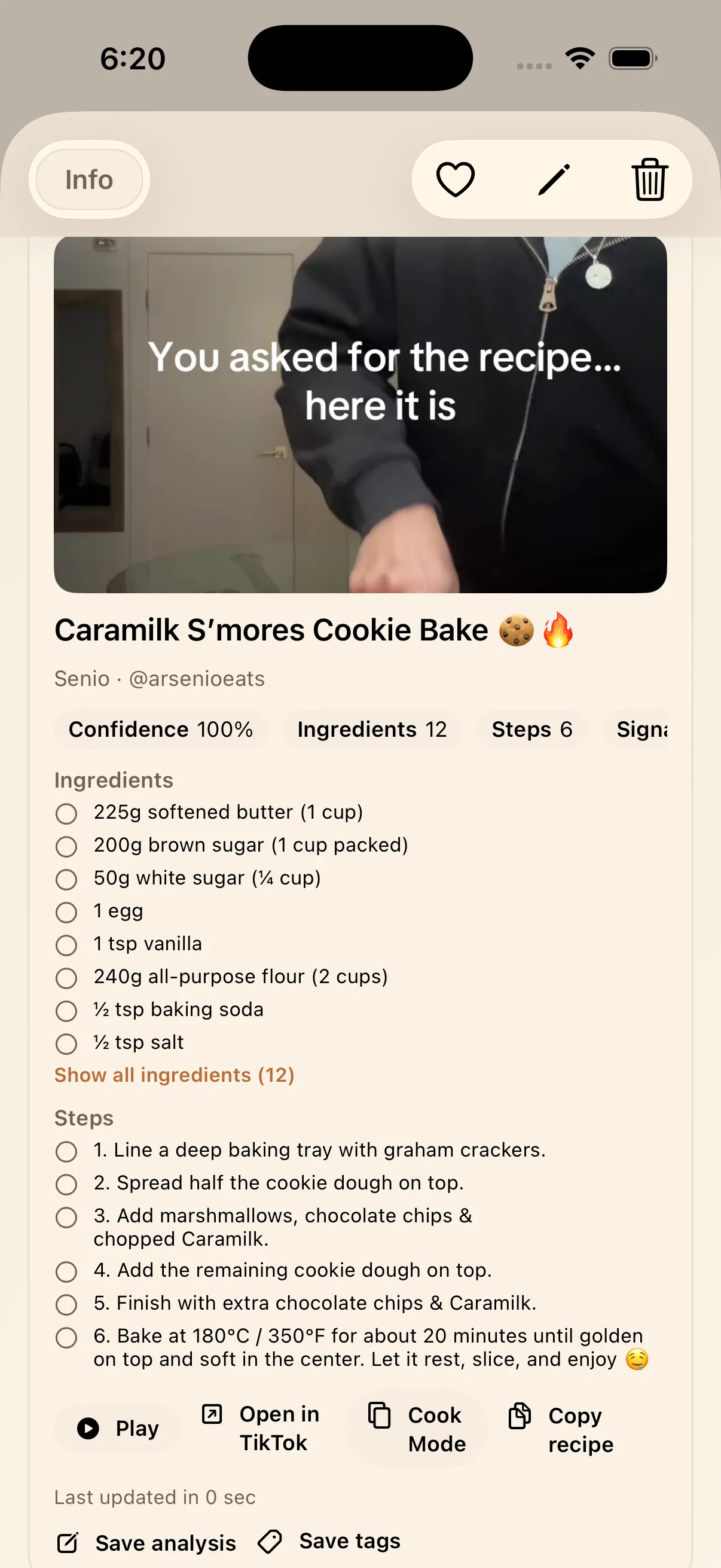
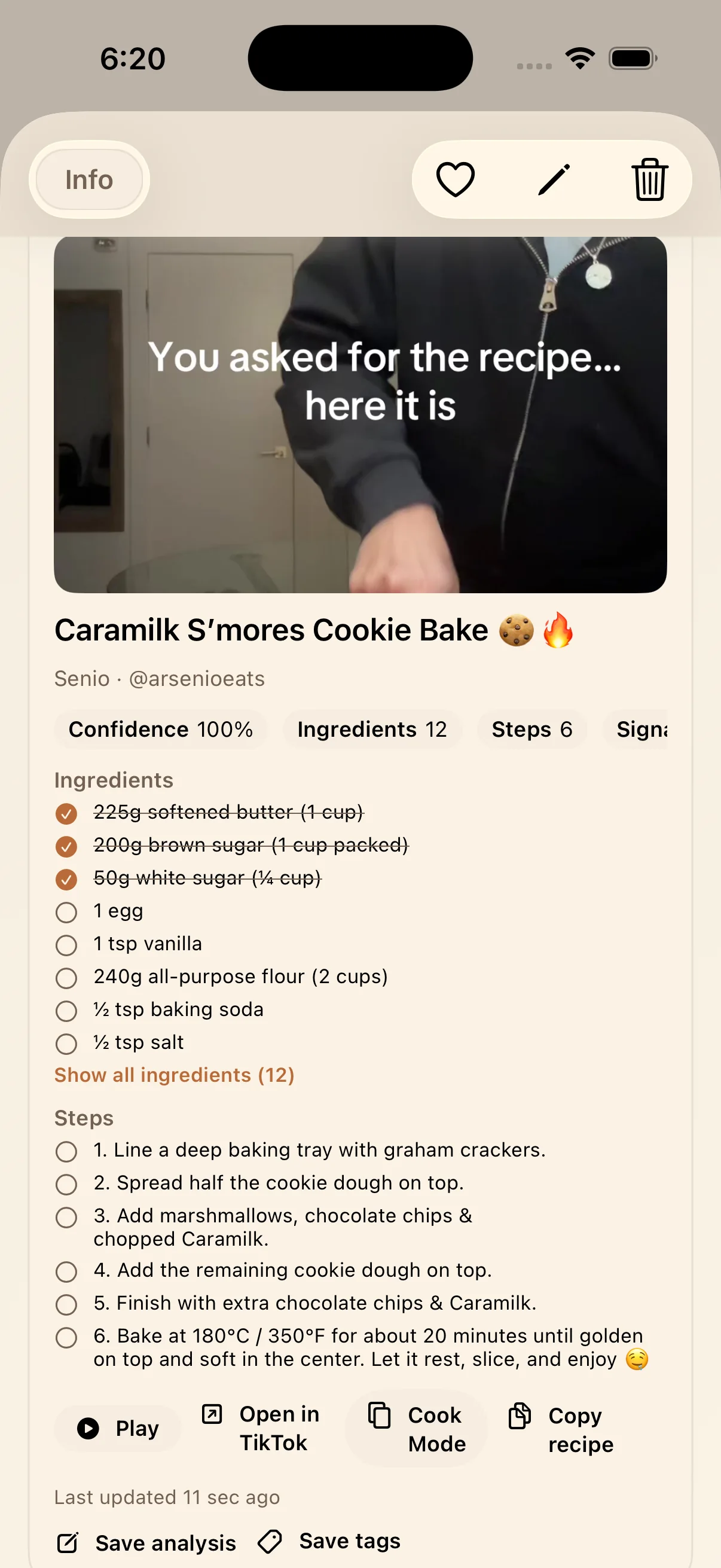
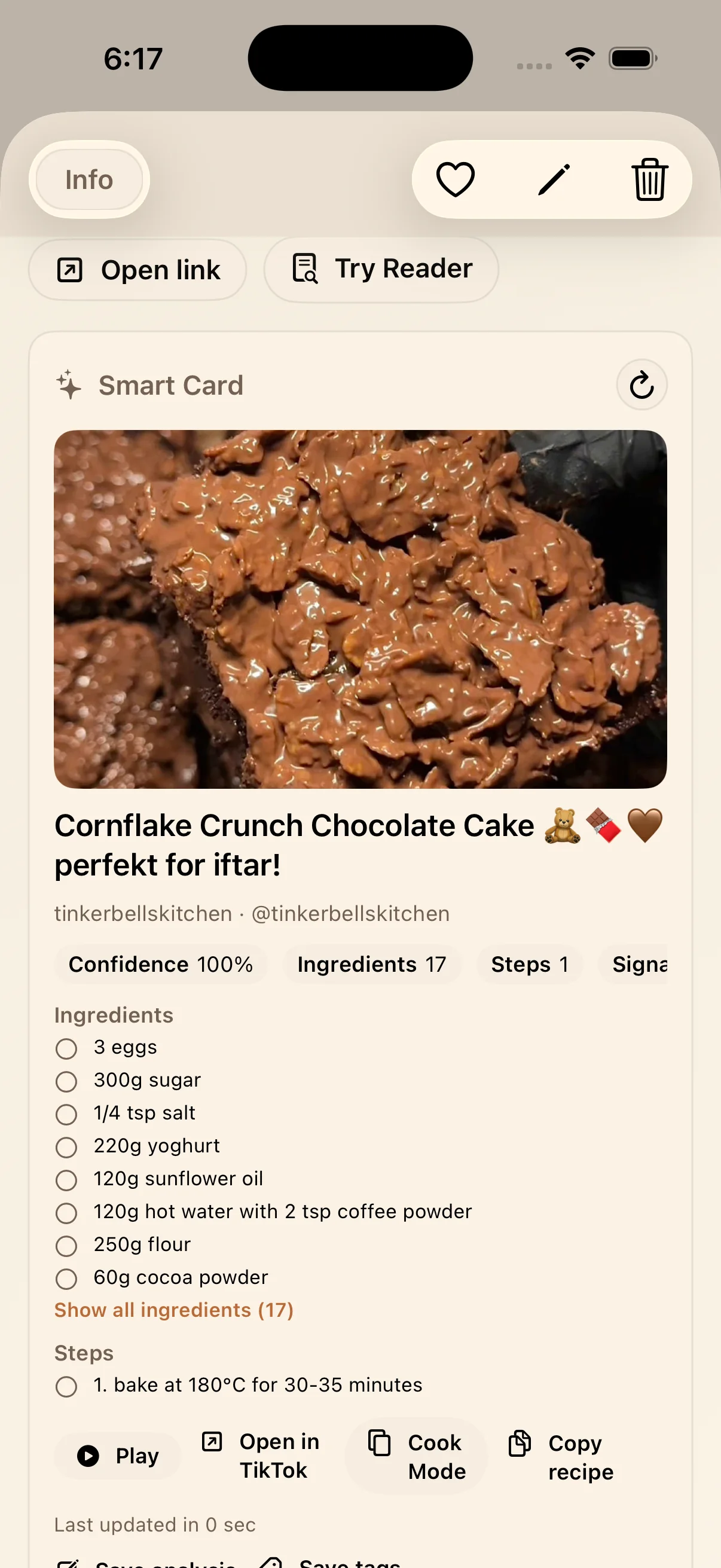
Start with the TikTok recipe guide if your main goal is importing recipes from TikTok into LinkBook on iPhone.
New Guide
A practical walkthrough for importing supported TikTok recipe posts into LinkBook, checking ingredients and steps, and using Cook Mode plus Open in TikTok verification.
Blog
See TikTok recipe workflows, Pocket migration help, and comparison pages for iPhone bookmark and read-later use cases.
Start with the workflow that matches what you want to save, cook, read, or track on iPhone.
| What you want to do | How LinkBook helps | Start here |
|---|---|---|
| Save links on iPhone | Share Sheet save flow, optional tags/folder/notes, searchable library | Features |
| Save TikTok recipes | Import recipes from TikTok into a Smart Card with ingredients, steps, confidence, Cook Mode, and Open in TikTok verification for supported posts | TikTok recipe guide |
| Recipe links to cookable view | Recipe Smart Card and Cook Mode when supported recipe data is available | Features: Recipe flow |
| AI link verification | ChatGPT Source Pack and Gemini Insight Pack for source-oriented recall workflows | Features: AI flow |
| Prediction-market tracking | Polymarket Smart Card with market snapshots and metrics in detail view | Features: Polymarket flow |
No. LinkBook combines Share Sheet capture, Smart Card previews, tags/folders, filters, and reader-focused modes in one iPhone workflow.
For iPhone users who need an actively maintained app, compare current options in the LinkBook vs Pocket page with cited sources.
Yes. For supported TikTok recipe posts shared into LinkBook from iPhone, LinkBook can save the post as a Smart Card with ingredients, steps, confidence, and Cook Mode.
For supported TikTok recipe posts, LinkBook can auto-extract ingredients and steps from the preview signals available at save time. If the full recipe is not visible, use Open in TikTok to verify quantities and steps before cooking.
LinkBook public materials describe local-first encrypted on-device storage and optional premium sync/backup features.
Each comparison page lists its sources and when the information was last checked.